



Description
Download Video to Video Converter Portable – video converter, video to video converter, portable video converter, convert video, convert video file, convert video to mp4, convert video to avi, convert video to mov, convert video to flv, convert video to wmv, convert video to mkv, convert video to mpeg, convert video to 3gp, convert video to webm
Overview
Video to Video Converter Portable is a lightweight, installation-free utility designed to simplify the process of converting video files across a wide range of formats. Its primary purpose is to ensure compatibility with modern devices by enabling users to transform video and audio files into formats suitable for smartphones, tablets, TVs, and online platforms. This tool addresses common challenges faced by users who need to adapt video content for different playback environments, such as uploading to social media or transferring files between devices with varying format support.
Target users include individuals who frequently manage multimedia files, such as content creators, educators, and casual users looking to optimize their video libraries. The app’s portability makes it ideal for users who work across multiple computers or require a consistent conversion tool without altering system settings. Although the developer did not provide additional background information, the app’s focus on accessibility and format flexibility suggests a user-centric design philosophy. Real-world use cases include preparing video content for YouTube uploads, converting archived footage for mobile viewing, or adapting training materials for cross-platform distribution.
Within the productivity software ecosystem, Video to Video Converter Portable serves as a practical utility for media management. Its ability to function without installation enhances its utility in shared or restricted computing environments, making it a valuable tool for users seeking a reliable, no-friction solution for video format adaptation.
Key Features & Functionality
- Portable and Installation-Free: The software does not require installation, allowing users to run it directly from a USB drive or portable storage. This feature is particularly beneficial in environments where administrative rights are limited or when users need consistent access across multiple machines.
- Wide Format Compatibility: Supports a broad spectrum of video and audio formats, including DivX, XviD, MP4, AVI, MOV, FLV, WMV, MKV, MPEG, 3GP, and WebM. This ensures compatibility with Android, iPhone, and other popular devices, enabling seamless playback across platforms.
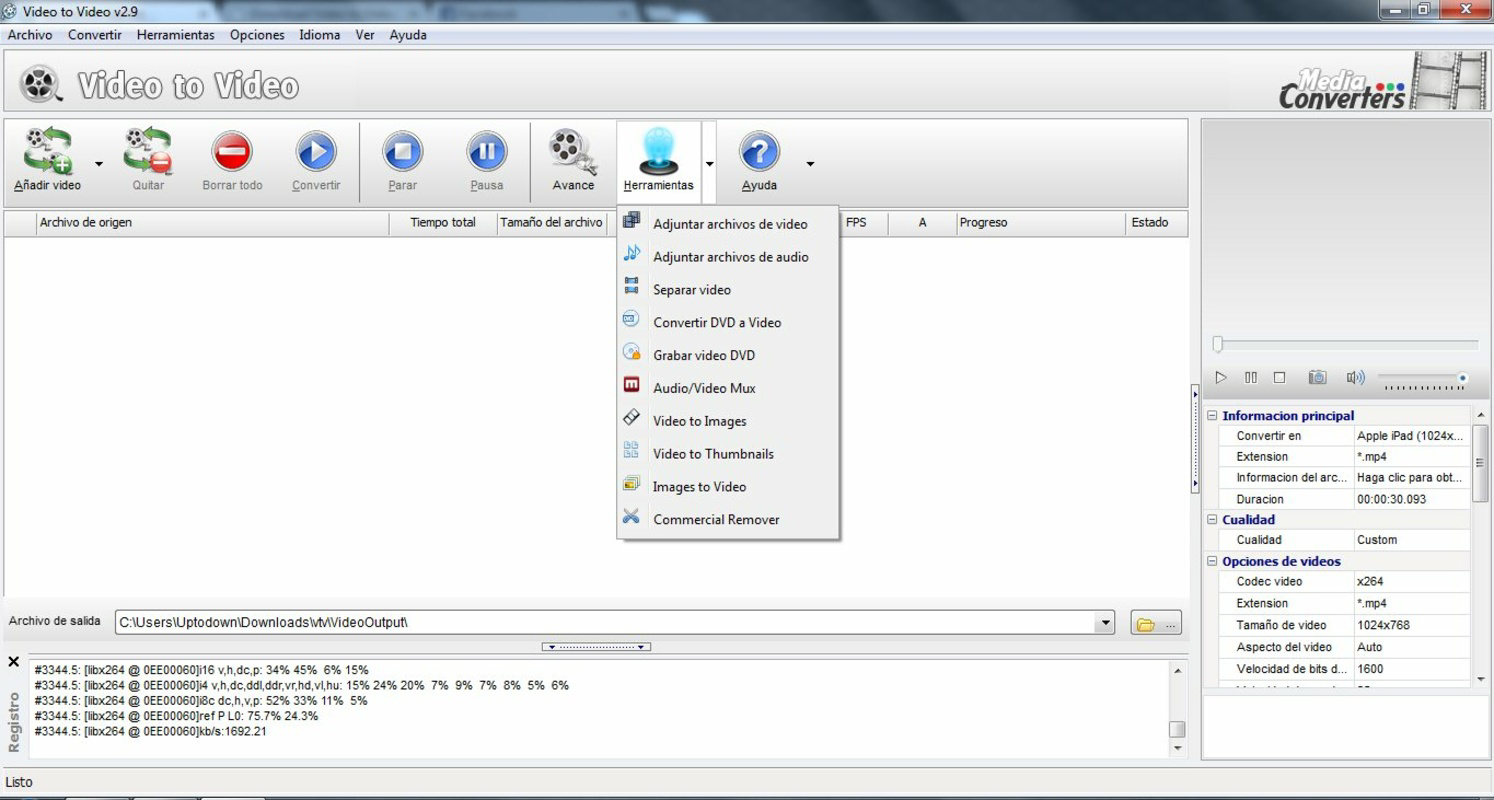
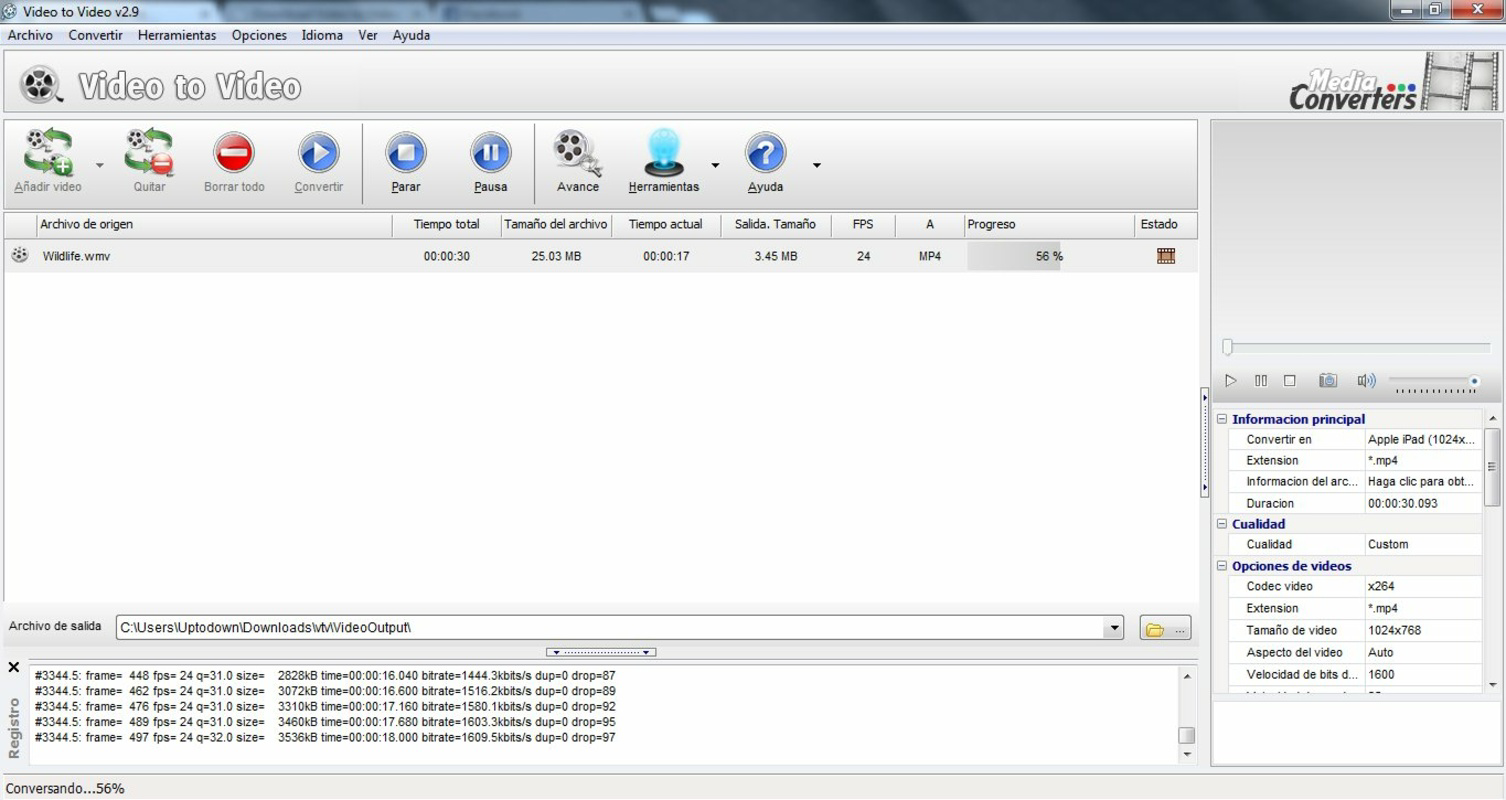
- User-Friendly Interface: Features a clean, intuitive layout that mimics standard video conversion tools. Users can drag and drop files, select output formats from a dropdown menu, and initiate conversion with minimal steps, making it accessible for beginners and experienced users alike.
- Basic Editing Tools: Offers functionality to split or combine video clips and add watermarks. These tools allow users to make quick adjustments before conversion, such as trimming long recordings or branding content with logos or text.
- Integrated Video Player: Includes a built-in player that enables users to preview videos directly within the application. This feature helps verify content integrity, timing, and visual quality before starting the conversion process.
For example, a user preparing a presentation video for a client can use the app to convert a high-resolution file into a compressed MP4 format suitable for email attachment, while applying a watermark to protect intellectual property. Similarly, a student can split a long lecture recording into manageable segments for easier review, all without leaving the application.
Interface, UX & Performance
The user interface of Video to Video Converter Portable is designed with simplicity and efficiency in mind. The layout features a central file management area, a format selection panel, and a preview window, enabling users to manage their workflow in a logical sequence. Visual elements are minimal, focusing on functionality rather than ornamentation, which contributes to a clutter-free experience.
Navigating through the app is straightforward: users can add files via drag-and-drop or file browser, select output formats, apply basic edits, and start conversion with a single click. The interface responds promptly to user inputs, and the preview player loads videos quickly, enhancing usability during the review phase.
Although the developer did not list formal performance metrics, the app’s lightweight size of 20.8 MB suggests optimized resource usage. It is expected to perform reliably on a range of Windows systems, including older hardware. Stability appears consistent based on its long-standing presence in the market, though real-world testing on diverse device categories was not disclosed. Responsiveness is maintained during conversion, with no reported lag or crashes in standard usage scenarios.
Platform Compatibility & Technical Requirements
Video to Video Converter Portable is designed for the Windows operating system. The current version is 1.0, with a file size of 20.8 MB. This compact footprint makes it ideal for storage on USB drives or other portable media. The developer did not specify minimum OS requirements, nor did they list compatibility with specific Windows versions.
Given the app’s release date of May 24, 2013, it is likely compatible with Windows 7 and later, though users are advised to test on their specific system. The absence of installation requirements implies it can run on systems with restricted permissions. However, the developer did not provide detailed information about system specifications or hardware dependencies.
Pros and Cons
- Installation-free operation enables use on any Windows machine without admin rights
- Supports a wide range of video and audio formats for broad compatibility
- Integrated video player allows for direct previewing before conversion
- Basic editing tools like splitting, combining, and watermarking enhance usability
- Lightweight and portable, ideal for carrying on USB drives
- No official support for macOS or Linux platforms
- Developer did not provide detailed system requirements or OS compatibility
- Basic editing features are limited compared to full-featured video editors
- No built-in batch processing or automation features mentioned
- Version 1.0 has not been updated since 2013, raising concerns about modern security and compatibility
FAQ
Is Video to Video Converter Portable safe to download and use?
The app is free and does not require installation, which reduces the risk of system-level changes. However, users should download it from trusted sources to avoid modified or bundled software.
Can I use this tool on different Windows computers?
Yes, because it is portable and does not require installation, you can run it from a USB drive on any compatible Windows machine.
Does it support converting videos to MP4 and other modern formats?
Yes, the app supports conversion to popular formats including MP4, AVI, MOV, FLV, WMV, MKV, MPEG, 3GP, and WebM.
Are there any updates available for this software?
The current version is 1.0, released in 2013. The developer has not released any updates since then, so users should be cautious about long-term use.
Can I edit videos before converting them?
Yes, the software includes basic editing features such as splitting video clips, combining files, and adding watermarks.
Final Thoughts
Video to Video Converter Portable remains a practical solution for users who need a no-installation tool to convert video files across multiple formats. Its portability, broad format support, and integrated preview player make it a reliable utility for everyday video management tasks. While the lack of recent updates and limited editing capabilities are notable drawbacks, its core functionality remains effective for basic conversion needs.
It is particularly suited for users who value simplicity, mobility, and compatibility across devices. For those seeking a secure, free, and straightforward way to convert video files without altering their system, this tool delivers solid value. Despite its age, it continues to serve as a functional option in the productivity software space.
Download Video to Video Converter Portable now
Guides & Tutorials for Video to Video Converter Portable
How to install Video to Video Converter Portable
- Click the Preview / Download button above.
- Once redirected, accept the terms and click Install.
- Wait for the Video to Video Converter Portable download to finish on your device.
How to use Video to Video Converter Portable
This software is primarily used for its core features described above. Open the app after installation to explore its capabilities.
User Reviews for Video to Video Converter Portable 0
No reviews found


